
Define a department desk
A desk is seven decisions.
You make all seven.
Techottic does not ship you a fixed list of departments. It ships the shape a department has, and you fill it in for the ones your company actually runs.
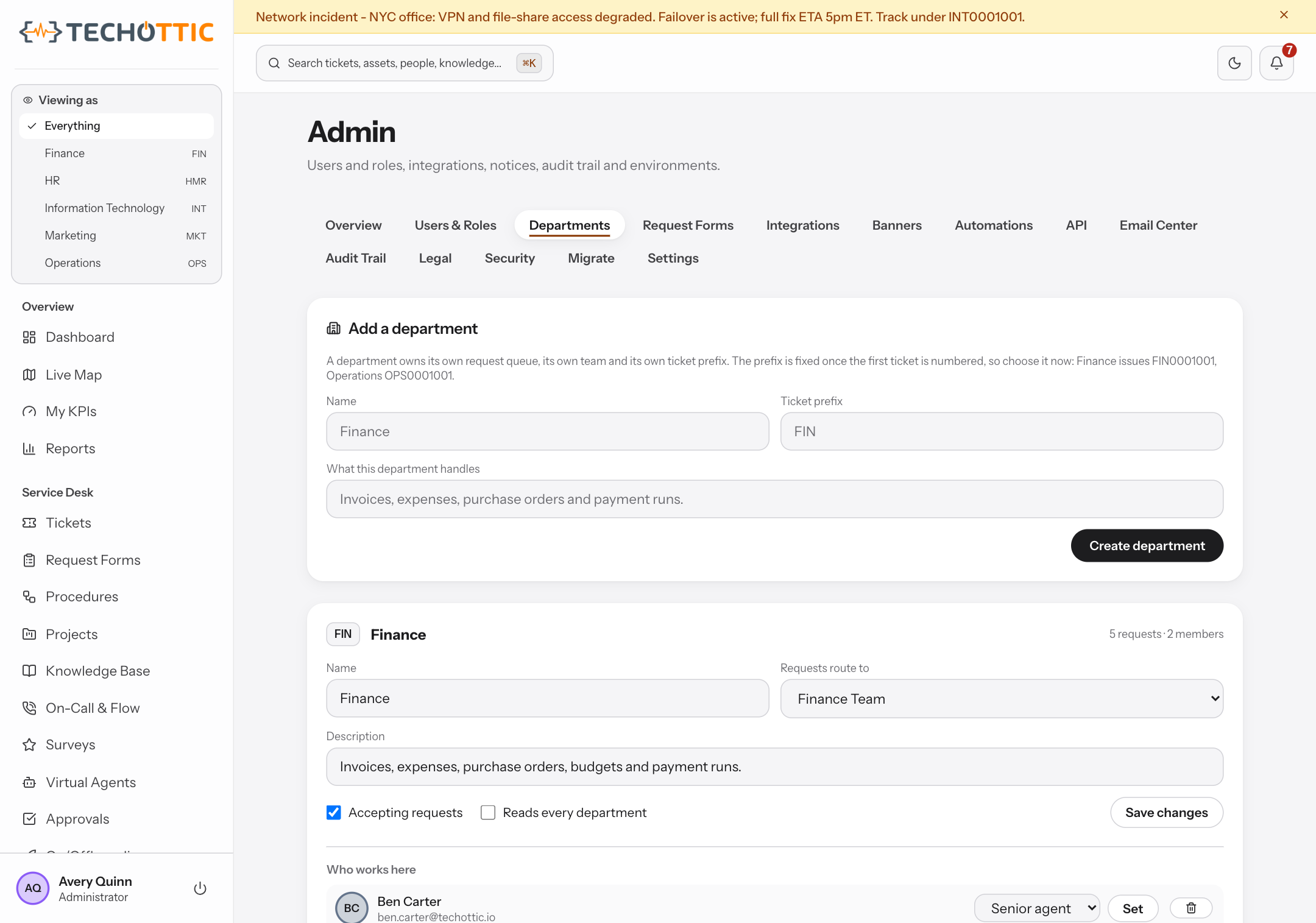
A prefix
Finance requests are FIN0001043. Fleet requests are FLT0001180. The number says which desk owns the work before anybody opens it, and each desk counts on its own, so a busy quarter in one team leaves every other team's numbering exactly where it was. Two people filing in the same second get two different numbers, and a number is never issued twice, including to a request somebody later deleted. That is what makes a reference you quoted in an email last year still point at the same thing this year.
Its own categories
A department names the kinds of work it does. Finance has Expense claim and Purchase request. Fleet has Service due and Breakdown. The list is data the department edits, and it is judged against that department rather than a company-wide set, so VPN is a real category and is still not one Finance uses. The channels do not all answer the same way, and the difference is worth knowing before you build against it. Over the API an unrecognized name is refused outright and the error carries the legal names, so an integration is told rather than left guessing. The portal and the staff form do not refuse: they store that department's own fallback, which keeps one misspelling from becoming a fifth category but does not tell the sender. Mail arriving by inbound address lands on the fallback too, and a bulk import writes what the file says. Retiring a category leaves the requests already filed under it readable, so a report you run next year still says what happened.
An intake form
The questions this desk needs, asked when the request is raised rather than chased over three replies. A field can be required, and a field can depend on an earlier answer, so the form asks which client account only once somebody says the spend was on a client. Every submission is validated again on the server against the form as published, and an answer to a question the form did not ask is dropped rather than stored. The cost of skipping this is the reply that says please send the itemized receipt, two days after the claim was filed and one day before somebody chases it.
Approval steps
Who signs off, in what order, and what the rest of the work does while they think about it. An approval step holds the sequence: nothing downstream opens until somebody decides, so there is no half-built process running ahead of a decision that has not been made. The approvals queue offers the decision only to people who may approve and who belong to that department. The notification does not yet match the queue: somebody holding the administrator or IT manager role company-wide is told about every department's approvals, and that message names the form and the step. So the decision stays inside the department. The fact that one is pending does not, and you should know that before you put a sensitive process behind it. A step is part of the desk's definition rather than something an agent remembers, which is the difference between a control and a habit.
A team
The people who work the desk, and the rule that puts a request in front of one of them. Routing reads the department and the category together, so two departments can both have a category called Other without either one catching the other's work. On-call rotations decide who is paged out of hours. A step inside a longer procedure can name its own team, and when it names none it falls back to this desk's routing rather than to a general inbox. A department that has not set a team yet falls back to IT's rules: a stated default, not an accident, and one you can see and change.
Its own knowledge
Articles belong to the desk that owns the work. Staff-only for runbooks and escalation detail, or readable by everyone when it is the answer somebody needs before they file anything. An article that names no department is company-wide, so one leave policy does not have to be copied into every desk to be findable from all of them. Closing a request can publish its resolution as an article of the desk the request was for, not of whoever happened to close it: an IT agent answering a Finance question writes Finance's knowledge, and filing it under IT would hide it from the only desk that needed it.
Where it ends
The last decision is who is inside the desk, and that decision is also its boundary. Access here is a role held inside a department rather than one company-wide role with a department filter applied afterwards. Somebody can be an agent in Finance and an ordinary employee everywhere else, and what they can see starts at nothing and widens only where a membership says so. A scope somebody forgot to apply therefore shows nothing rather than everything. The Boundaries page is the long version, including what happens when a person goes looking.
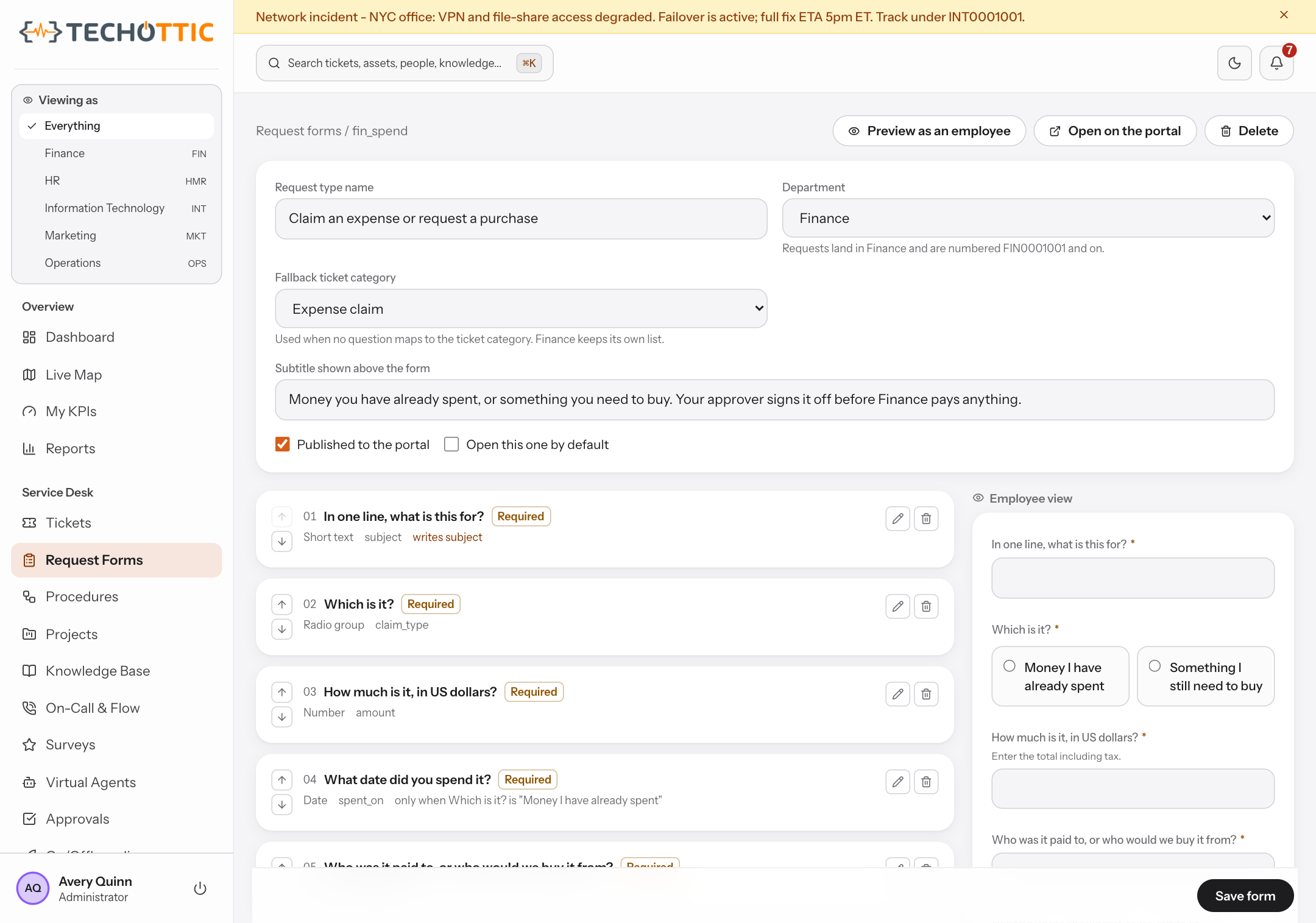
None of this is configuration you do once and inherit forever. A desk that stops matching how the team works is a desk people route around, so the parts that describe the work stay editable by the department that owns them, without a platform administrator in the loop: its categories, its intake form, the approval steps inside that form, and its knowledge. Three of the seven do not work that way, and pretending otherwise would only cost you a morning. The prefix is fixed when the desk is created, because every number already issued carries it. The team and its on-call rota are set by somebody who works across departments. Membership is an administrator's to grant. What a department cannot do in any case is edit anybody else's: owning your own intake is not the same as owning theirs, and a product that confused the two would have handed the first department to define a desk the keys to every other one. Five desks come seeded so there is something to read on day one. Four of them see only their own work, exactly like the sixth you define yourself, which starts confined. The fifth is IT, seeded reading every department because the service desk answers for the whole company. That is a property you can see in the list and take away.